Net battery power
Separate energy entering or leaving the battery from the connected adapter’s advertised rating.
See live net power, health and temperature. Build a private history. Get a clear explanation when a charger cannot keep up or charging behaviour deserves attention.
Free live monitoring and 24-hour history. Optional Anode Pro is one payment, £3.99 in the UK; Apple shows your local price.
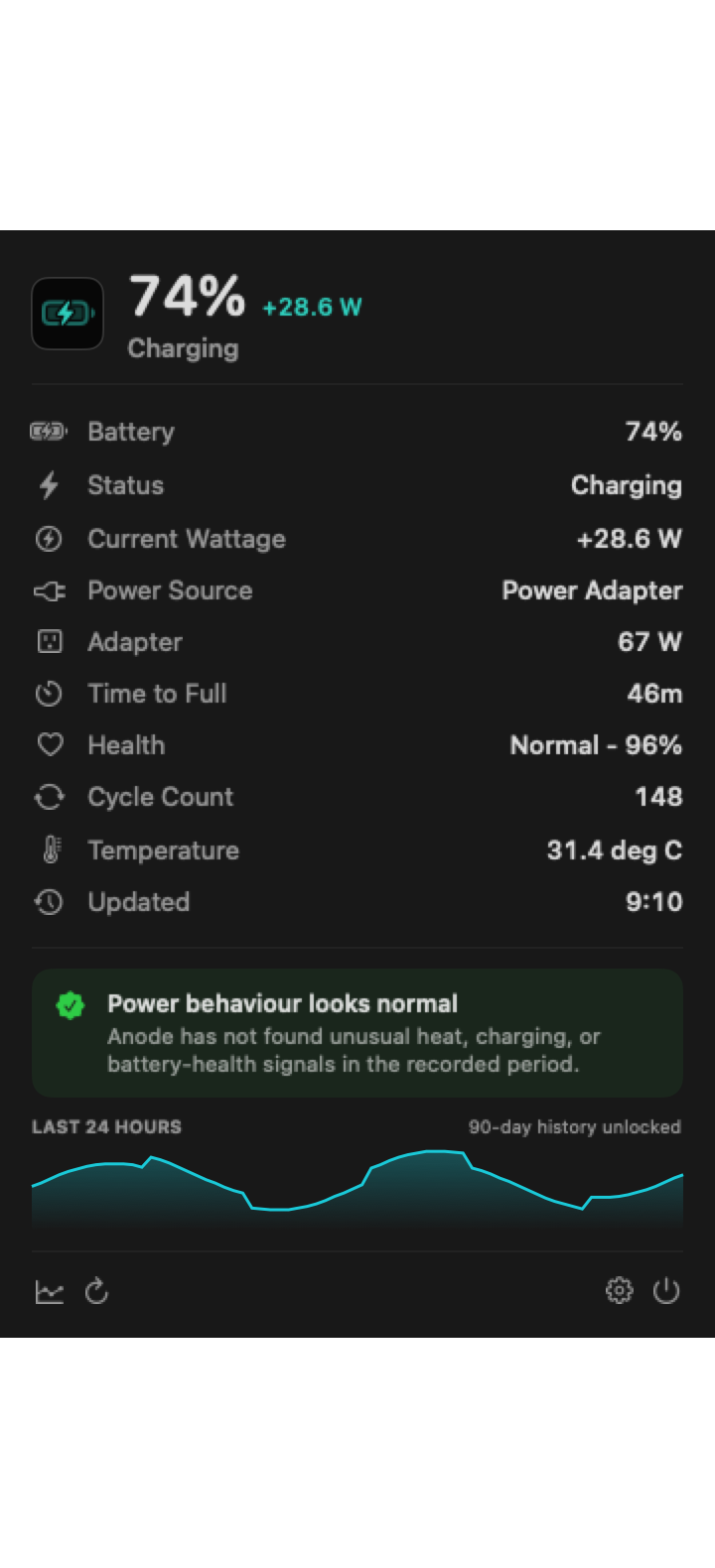
Separate energy entering or leaving the battery from the connected adapter’s advertised rating.
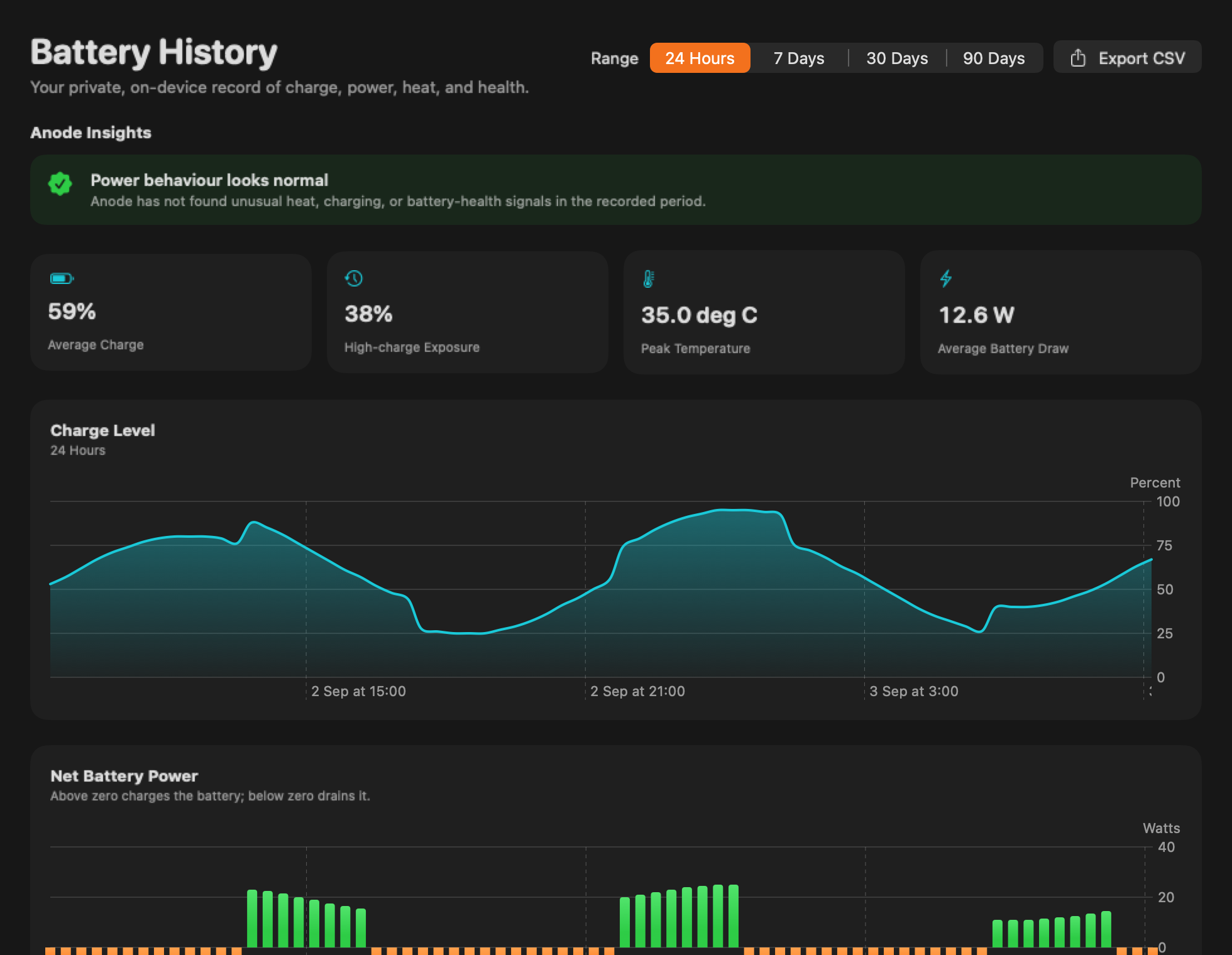
See how much recorded plugged-in time was spent at or above 80 percent.
Compare temperature peaks with charging sessions and workload changes.
Keep capacity, condition and cycle count together without treating one sample as a diagnosis.
Anode records only battery and power fields exposed by macOS. The free view covers 24 hours. Its optional Pro unlock adds up to 90 days, charging-session comparisons and CSV export with one purchase.
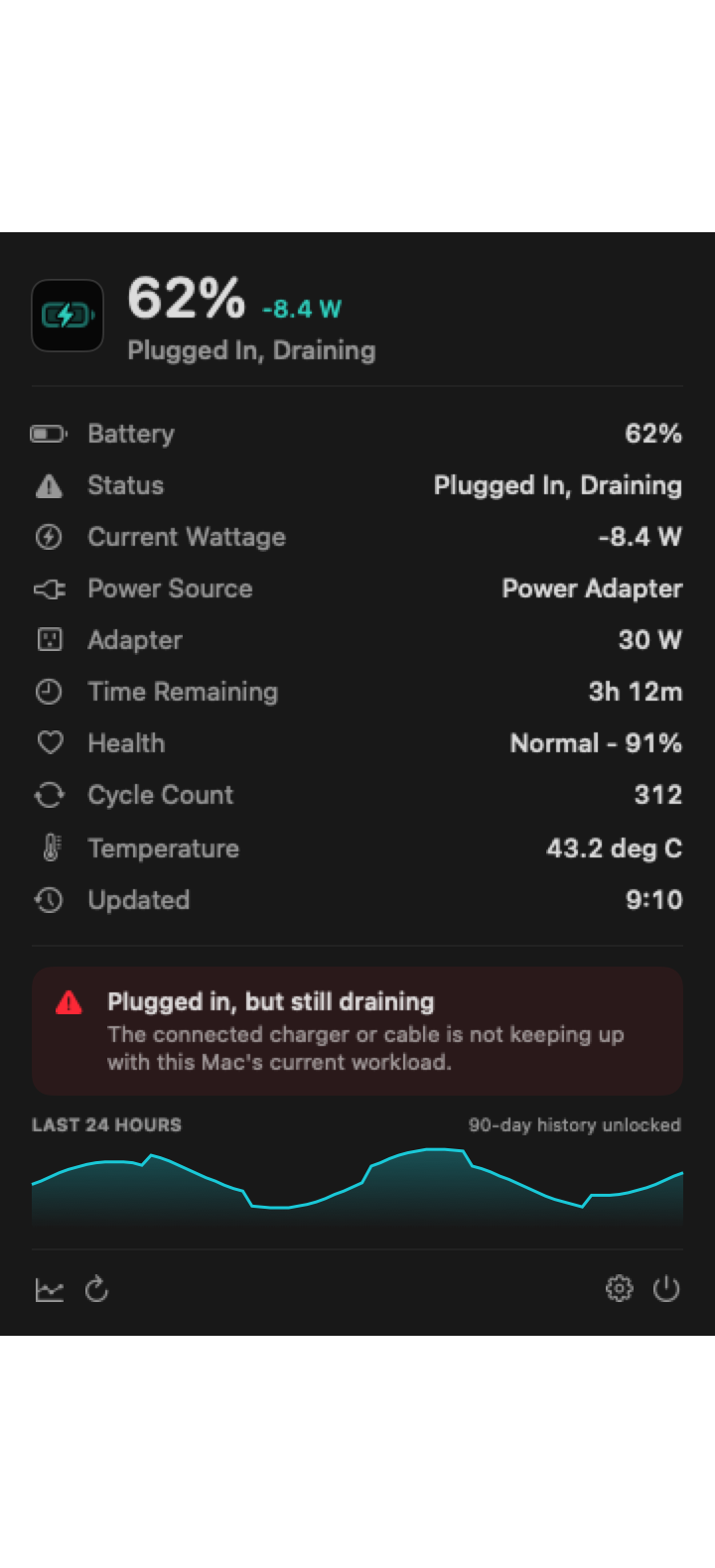
Warnings explain what Anode observed and distinguish battery power from adapter capability. The app never claims to diagnose hardware or override macOS charging controls.
Why a plugged-in Mac can still drain →
No trial countdown and no subscription. Start with the free app, then decide whether longer history and export are useful to you.
£0 to download
For live readings and the last day’s pattern.
£3.99 one-time purchase in the UK
Everything in Free, with more room to compare.
Built for MacBooks running macOS 14 or later. Readings depend on what your Mac exposes. Apple shows the current price for your region before you confirm a Pro purchase.
Download the free app from the Mac App Store. Open Anode’s menu-bar panel, select Anode Pro, then choose Unlock Pro. Apple handles the purchase; there is no checkout on this website.
Customers who acquired paid-upfront Anode 1.0 or 1.1 retain Pro access. If it is not showing, use Restore Purchase in Anode while signed into the Apple Account that acquired it before making another purchase. The same restore option is available for an existing Pro purchase.
No. Anode retains up to 90 days of readings collected locally while it is running, even before an upgrade. Pro reveals the longer history that actually exists on this Mac; it cannot recreate missing or cleared readings. You can clear the stored history in Settings.
Separate a macOS charging hold, limit and observations that need attention. No device access.
Check the next stepInteractive reading explainerEnter a signed net reading and power connection. No upload or device access.
Explain a readingMacBook battery guideUnderstand negative battery watts while connected to power, then separate workload, cable and adapter causes.
Read guideMacBook battery guideLearn the difference between adapter rating and net battery charge power before blaming a charger or cable.
Read guideMacBook battery guideInterpret maximum capacity, condition and change over time without treating one third-party number as a diagnosis.
Read guideMacBook battery guideUnderstand how partial discharges become one cycle and why the maximum depends on your exact Mac model.
Read guideMacBook battery guideUse battery-temperature history as context for charging pauses and heavy workloads without confusing it with room temperature.
Read guideMacBook battery guideTurn isolated battery readings into patterns for charging sessions, heat, health and time spent at high charge.
Read guideMacBook battery guideUnderstand macOS Charge Limit, Optimised Battery Charging and what Anode means by time above 80 percent.
Read guideMacBook battery guideCheck Charge Limit, Optimised Battery Charging and temperature before assuming the battery or adapter has failed.
Read guideMacBook battery guideDecode net battery power in plain language and understand why it differs from charger wattage.
Read guideMacBook battery guideCompare charging control, multi-device battery details and Anode’s private power history. Choose by the job, not a battery-health promise.
Read guide